
Horror
There is a specific kind of dread that only outer space can provide—the realization that you are millions of miles away from help, trapped in a tin can with something that shouldn’t exist. Deep Space Horror: Outpost leans heavily into this atmospheric terror, offering a lo-fi, high-tension experience that feels like a tribute to classic sci-fi horror cinema. It’s a game where the shadows are just as dangerous as the monsters, and your only hope of survival is a flickering flashlight and a few spare batteries. Okay, let’s break down what makes this outpost so terrifying.
Before you dock with the station, here are the vital statistics you need to know:
The mission was supposed to be a simple transit. You were piloting a deep-space cruiser on a routine route when the energy alarms began to scream. Your ship is bone-dry—zero power, drifting in the vacuum. By sheer luck, your long-range scanners picked up a Deep Space Outpost nearby. It isn't on any modern charts, but it's your only choice.
Upon docking, the silence is immediate and deafening. The human crew is gone, but the station isn't empty. Something has boarded this outpost—something from the darker corners of the galaxy that has a taste for human bone. To get your cruiser back online, you must find 8 high-capacity Energy Cells scattered throughout the facility. The catch? You aren't just scavenging; you are being hunted through the pressurized corridors of a dying station.
Survival in the outpost is about managing your resources and keeping your eyes on the corners. Here is how you get through the night:
1. Standard Controls: Use WASD to move and your Mouse to look. Your primary interaction key is 'F'—you'll use this to pick up the Energy Cells and any weapons you find. Use Shift to sprint, but remember that the sound of your boots on the metal floor will alert nearby entities.
2. The Power Search: Your goal is to find 8 Energy Cells. These are usually located in maintenance bays, storage lockers, or near the central reactor core. They glow slightly, making them easier to spot in the dark, but they are often placed in "kill zones" where enemies can easily corner you.
3. Combat Mechanics: Unlike some stealth-only horror games, you can fight back. You start with a basic firearm, but you can find more powerful tools as you explore. Use the Right Mouse Button to aim down sights—accuracy is crucial because ammo is scarce. If an enemy gets too close, use 'V' for a melee strike to push them back.
4. Listen to the Vents: The monsters in Deep Space Horror: Outpost use the ventilation system to move. If you hear metallic scraping above you, don't just stand there. Keep moving to an open area where you won't be surprised from behind.
5. Flashlight Management: Your flashlight is your lifeline. However, it can reveal your position to enemies. Try to toggle it off in well-lit areas (if you can find any) to save "mental focus" and stay hidden from the prowling horrors.
You can access the outpost across several free platforms:
Pro Insight: The AI in this game doesn't just wander; it reacts to your flashlight. If you see a creature in the distance, try turning your light off and crouching (Left Ctrl) to let it pass. It’s a nerve-wracking strategy, but it’s often safer than starting a firefight. You'll be okay as long as you don't panic!
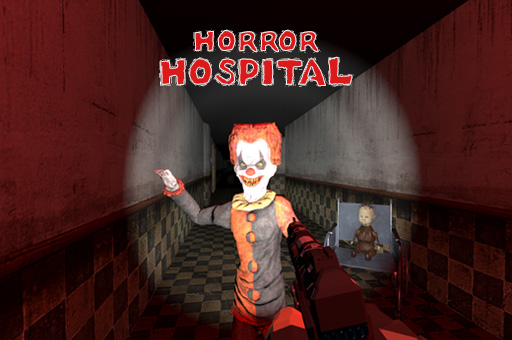
If intense survival moments and eerie sound design are your thing, don’t miss Horror Hospital. Arcade
 Action
 Adventure
 Horror